
Mechanical access still runs your organisation.
portier Vision 5 keeps it under control.
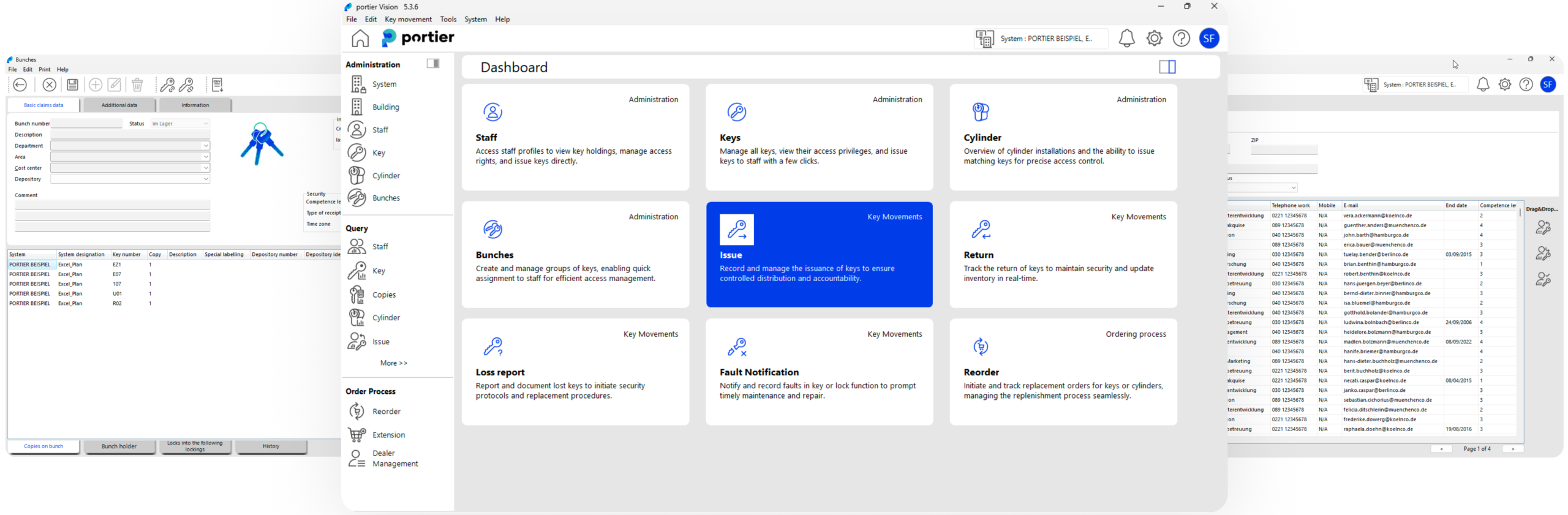
portier Vision 5 manages your locking plans, cylinders and keys in one place.
It controls how keys are issued, records every movement, and keeps a complete history you can prove.
Keys don’t expire.
People keep them.
They stay in pockets long after roles change or contracts end.
Over time, access no longer matches reality.
Spreadsheets and key cupboards cannot show clearly who has what.
They cannot stop the wrong key being issued.
They do not help when an audit or incident happens.
portier Vision 5 replaces informal key tracking with clear rules and a complete record.
So you can answer at any time:
- Who has access
- What they can open
- Why they still have it
portier Vision 5
Control for mechanical keys.
Built for organisations that take access seriously.
Mechanical keys require control.
portier Vision 5 maps your locking system clearly, enforces how keys are issued and returned, and keeps a permanent record of every change.

portier Vision 5 is
- A central system for your locking plans and keys
- A controlled issuing and return process
- A complete history of every key movement
portier Vision 5 isn’t
- A replacement for your electronic access system
- A cloud automation platform
- A “rip and replace” program
Core Capabilities

Know what exists
Know what opens what
Keep one clear view of your entire locking system.
portier Vision 5 shows how your locking system works.
It connects cylinders, keys and people, so you can see what opens what and understand the impact of changes – even when you use different manufacturers.
See What Opens What
Create and view locking plans.
Cylinder Management
Track every cylinder and its history.
Data Imports
Import dealer locking data and update personnel records.
Powerful Search
Search across your system and update records in bulk.









Every movement tracked
Every handover provable
Replace guesswork with clear records.
Issue, return, transfer or stage keys while keeping a complete history.
Track physical copies, generate receipts, and record evidence so audits and investigations do not rely on memory.
Full Movement History
Issue, return, loss, defect and transfer recorded.
Issue by Key Copy
Track each key and its copy number.
Controlled Transfers
Transfer keys without losing history. Generate receipts automatically.
Loss and Defect Workflows
Record lost or damaged keys clearly and immediately.
Receipt Printing
Generate signed receipts for issue and return.
Digital signatures
Capture signatures on a pad or via KeyOnTheGo.

Control who gets what
and with whose approval
Rules only matter if they are applied when a key is issued.
portier Vision 5 applies those rules at the moment of issue.
It prevents the wrong key being handed out – without slowing daily work.
Group-Based Issuing
Issue keys only to approved groups.
Time-Limited Issuing
Set start and end dates for key access.
Approval Workflows
Require approval before sensitive keys are issued.
Sensitive Key Handling
Limit who can see and issue high-risk keys.
Role-Based Access
Assign user rights based on defined roles.
Site-Based Permissions
Control issuing rights by site or depot.

Make daily key management
faster and consistent
portier Vision 5 is built for teams that handle many keys across many sites.
It keeps daily work simple, supports multiple languages, and makes reporting repeatable and consistent.

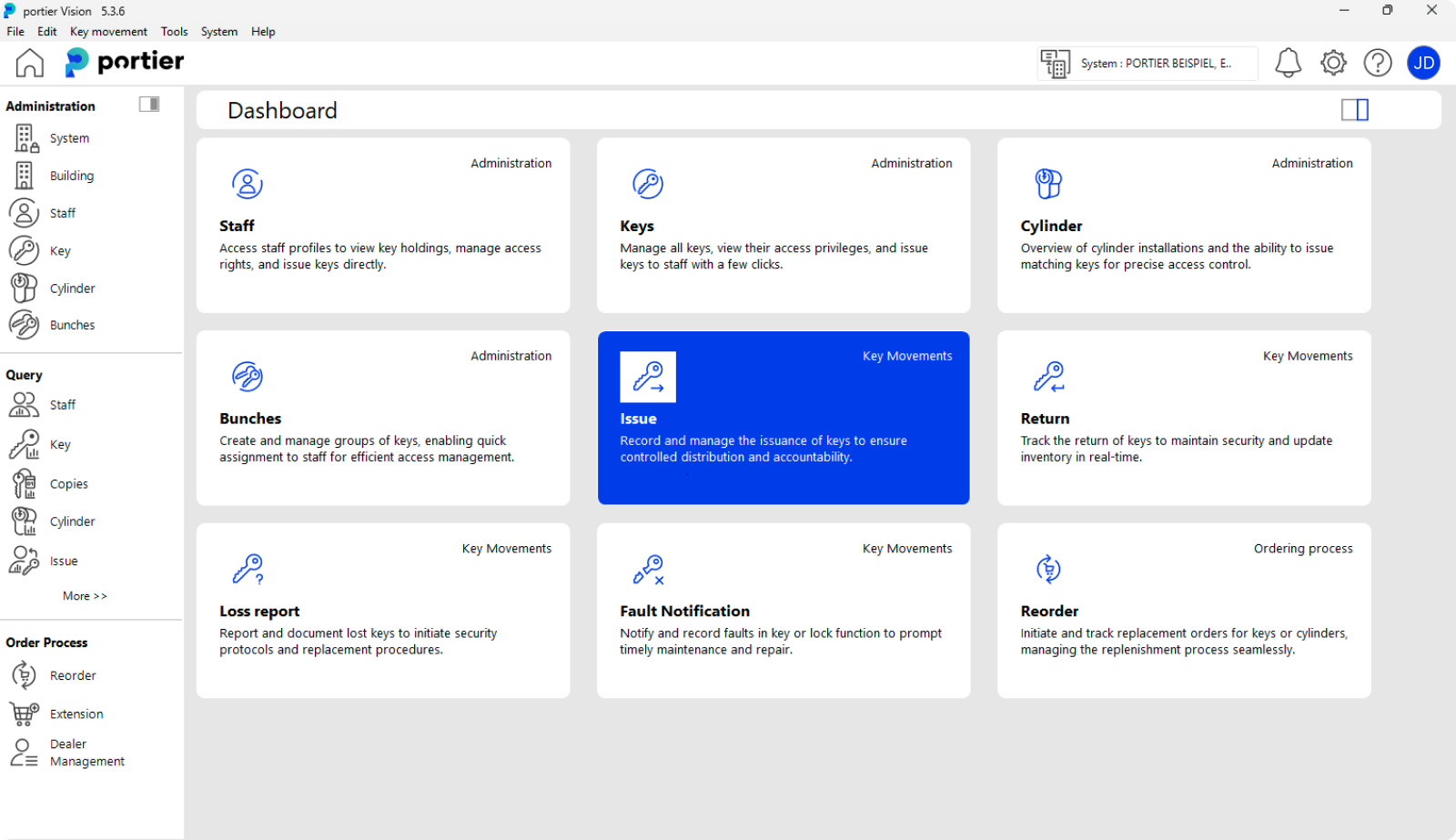
QuickTiles Dashboard
Role-based dashboards for daily tasks.

Multilingual Interface
Each user can work in their own language.

Single Sign-On (SSO)
Sign in using your organisation’s existing login.

Saved Reports
Save and reuse report searches for recurring reporting.

Report Templates
Use predefined templates for consistent reports and forms.

Bulk Actions
Copy or update multiple records at once.

Order keys and cylinders
without losing control
Create reorders and extensions directly in portier Vision 5.
Select the right dealer, control who can place orders, and keep key system details in one place.
Security card information stays stored and accessible when you need it.

Dealer Management
Select and manage dealers directly in the system.

Electronic Ordering
Create and send reorders directly from the system.

Security Card Records
Store and manage security card details for reorders.
Work from the plan
Not from guesswork
In large facilities and campuses, lists are not enough.
portier Vision 5 lets you work directly from your building plans.
Place cylinders on drawings, view access, and issue or return keys in the right context.
Building Plan Support
Upload and use AutoCAD, DWG or DXF plans.
Place Cylinders on Plans
Drag cylinders onto drawings and manage them visually.
Mechanical and Electronic Systems
Manage mechanical keys and electronic systems together where needed.
See Access on the Plan
Understand who can open which areas directly on the drawing.
Transponder Support
Issue and manage supported transponders alongside keys.
Records you can keep – and recover.
Your key records should not disappear if systems fail.
portier Vision 5 protects your history with secure storage, regular backups, and clear documentation – so you can recover quickly after failure or ransomware.

Automatic Backups
Recover your key history after failure or ransomware.

Document Storage
Store approvals and supporting documents with each keyholder.

Digital Signatures
Capture signed handover at the moment of issue.
portier Global operates under ISO 27001 certified information security standards.
Learn more at https://trust.portierglobal.com.
Who portier Vision 5 is for
Built for organisations where mechanical access is business critical.
If you need to show clearly who had which key and when – this is the foundation.
-

Healthcare & Hospitals
24/7 environments. Shared spaces. Constant personnel change.
Access must remain correct during shift changes, contractor rotations, and compliance reviews.
Mechanical and electronic access must stay aligned. -

Utilities & Critical Infrastructure
Distributed sites. Long asset lifecycles. Regulatory oversight.
Access failures have real-world consequences.
Governance is required first. Automation must follow. -

Government & Public Sector
Formal scrutiny. Long-lived infrastructure. Audit exposure.
Access decisions must remain defensible years later. -

Large Campuses & Multi-Site Enterprises
Decentralised teams. Multiple manufacturers. Mixed mechanical and electronic systems.
Access must scale across buildings, roles, and systems without fragmenting control.
If mechanical keys are still part of your access reality,
you need control that holds up under audit.
Enterprise deployment,
on your terms.
portier Vision 5 runs on-premise.
It is built for organisations that require control over their infrastructure and data.
On-prem deployment
Built for Strict IT Environments
Multi-User Teams
Backup and Recovery Support
Optional Integrations
Ready to manage electronic and mechanical access together?
Add portierX when access extends beyond keys.

portier Vision 5 controls mechanical keys.
portierX lets you control electronic access systems and mechanical keys together in one cloud platform.
It connects to your existing PACS, HR and identity systems – so access can be controlled in one place.
Add portierX When You Need:

Control PACS and Keys Together
Manage electronic and mechanical access in one platform.

Security System Integration
Share access data with SIEM and security tools.

HR and Identity Integration
Automate joiner, mover and leaver processes.
Direct PACS Integration
Connect to supported electronic access systems.

Automated Rules
Apply access rules consistently across systems.
If you only need control over mechanical keys, start with portier Vision 5.
See portier Vision 5 in Action
Get a walkthrough of your locking plans, key issuing, movement tracking and reporting.
We will show how portier Vision 5 works in your environment and how it fits into your daily operations.























Frequently Asked Questions
Is portier Vision 5 available now?
Yes. portier Vision 5 is available today and deployed on-prem.
Does portierX replace portier Vision 5?
No. portier Vision 5 controls mechanical keys.
portierX connects electronic and mechanical access in one cloud platform when broader integration is required.
Can portier Vision 5 support multi-site operations?
Yes. It supports multiple sites, shared databases and site-based permissions so issuing and ordering can be controlled locally.
Does portier Vision 5 replace our electronic access control system (PACS)?
No. portier Vision 5 manages mechanical keys. Electronic access systems remain in place.
Can we integrate portier Vision 5 with our existing systems?
Yes. portier Vision 5 supports integration where required.
For broader cloud integration across PACS, HR and identity systems, portierX is available.
Is portier Vision 5 suitable for regulated environments?
Yes. It is built for organisations that need clear records of key issuing, returns and movement history.
How is data protected?
portier Vision 5 supports secure storage and backup.
portier Global operates under ISO 27001 certified information security standards.
See trust.portierglobal.com for details.
 English (Australia)
  Deutsch
  Français
  Nederlands
  Español
  Bahasa Indonesia
  العربية